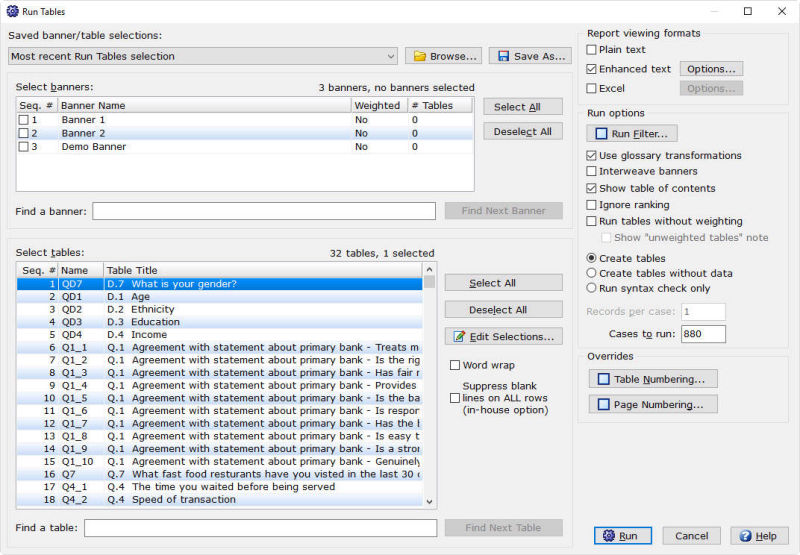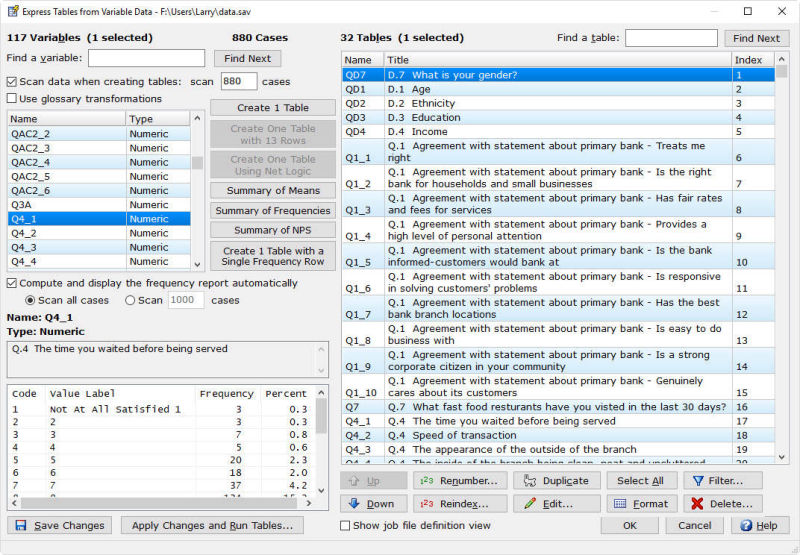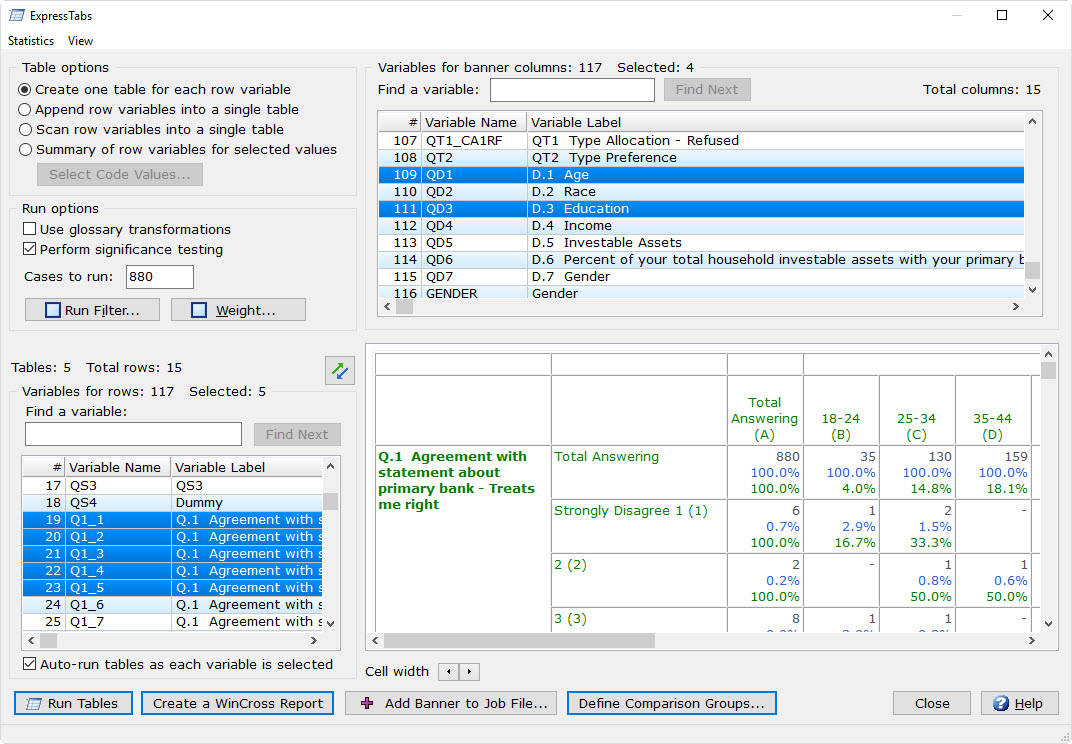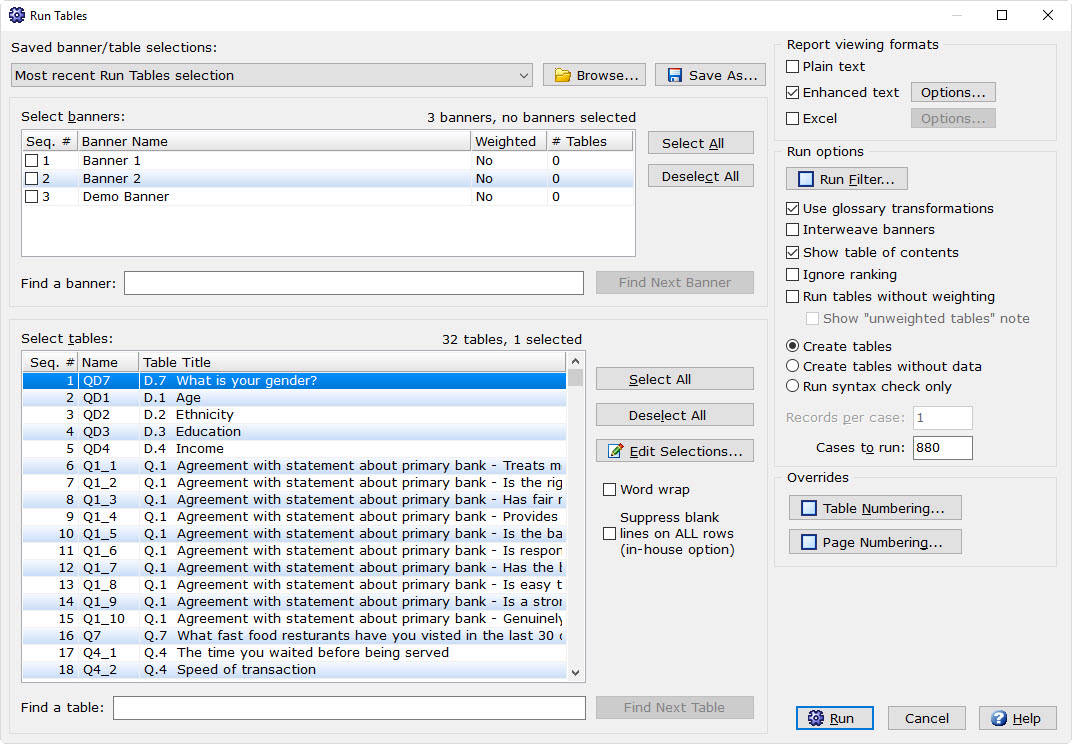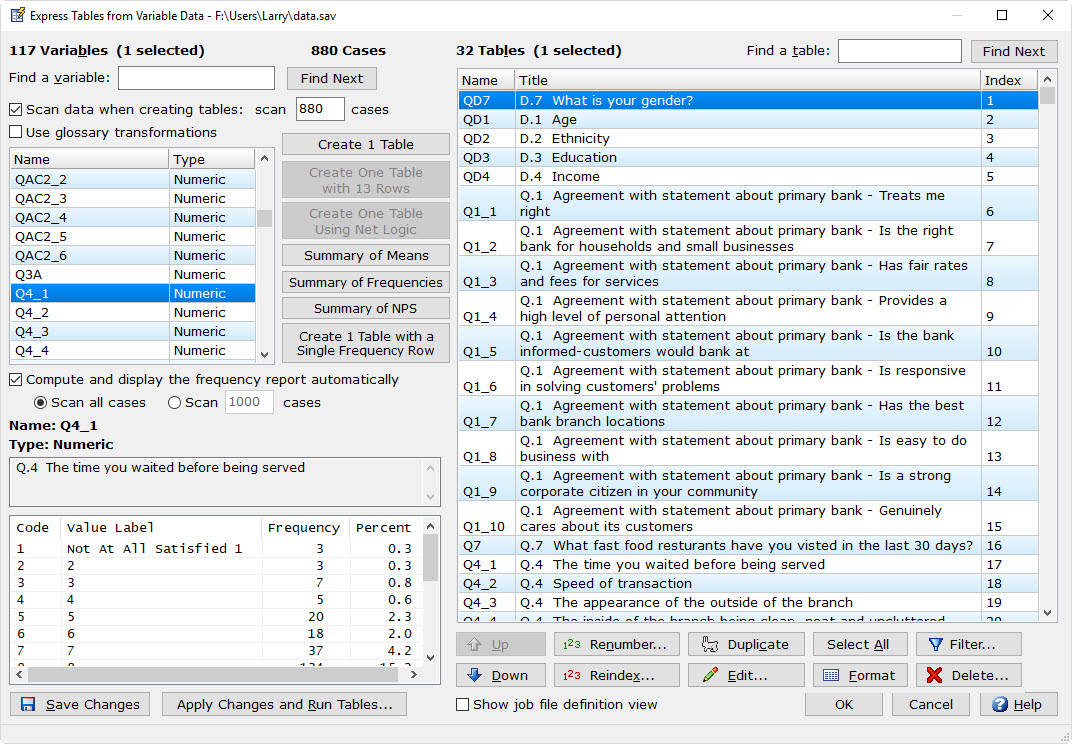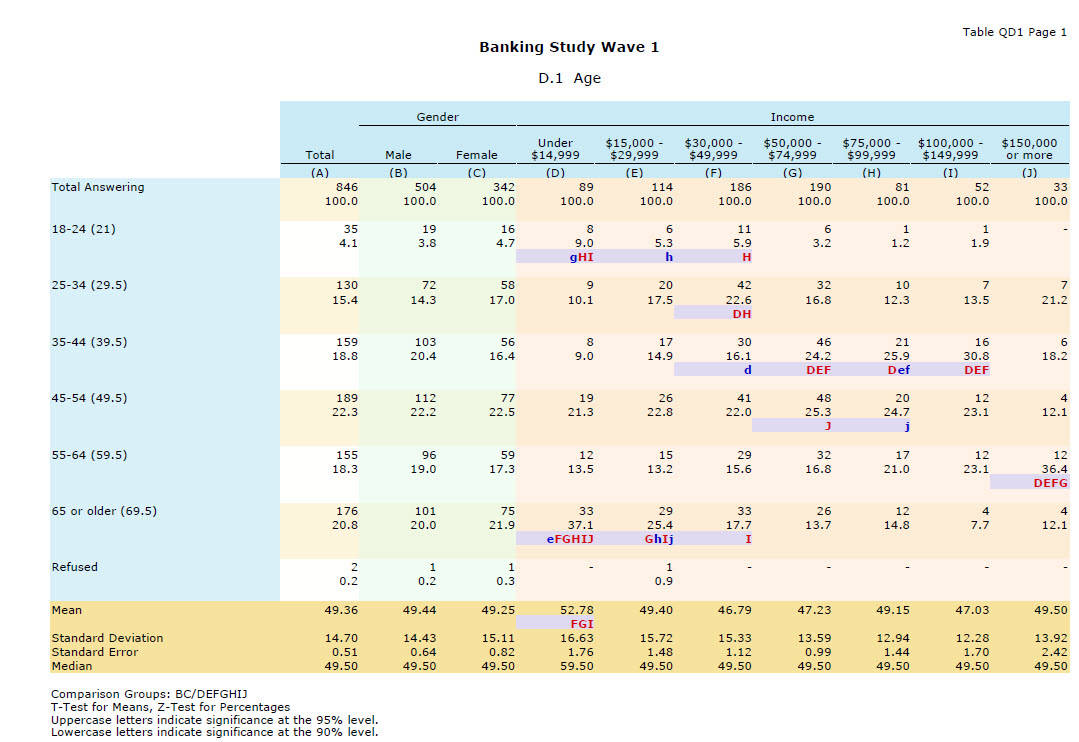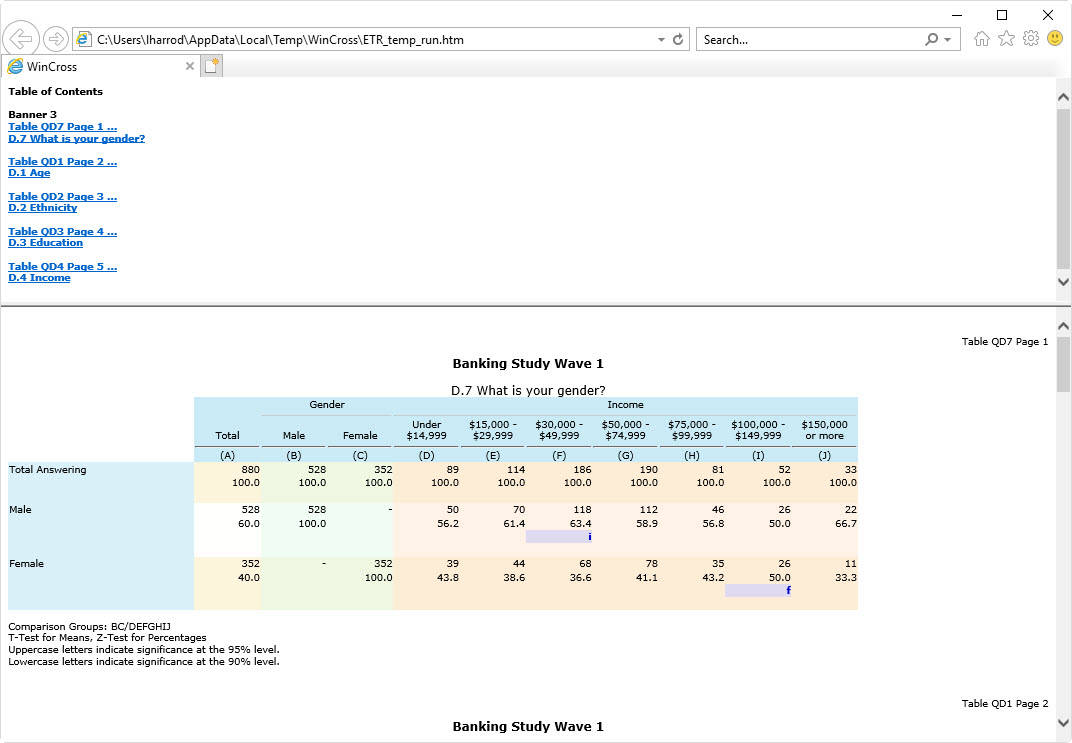

With its easy-to-use interface and flexible reporting options, WinCross allows both experienced analysts and novice users to quickly extract and highlight statistical trends from survey data.
WinCross is a high performance research tool. In addition to crosstabulations, WinCross has comprehensive significance testing, segmentation, and weighting. It provides extensive options to customize the look and feel of your reports.
Import from
SPSS, Excel or CSV.
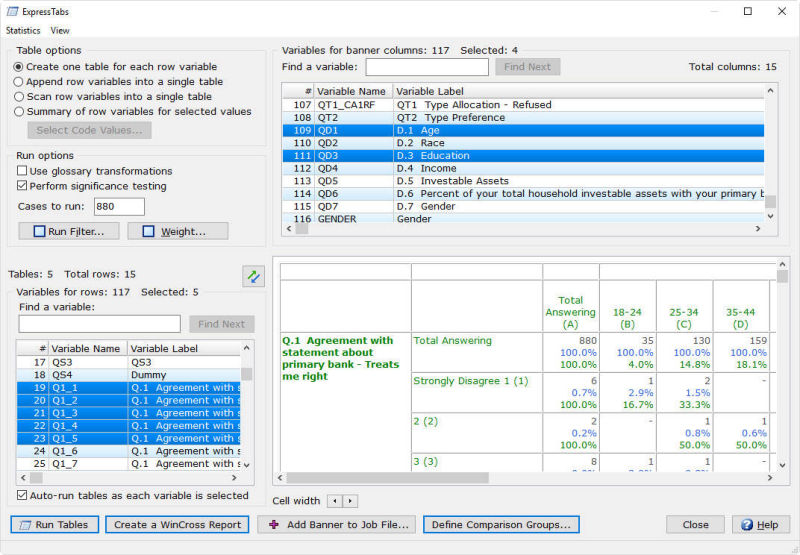
Program an entire study with just a few clicks using AI-driven automation, streamlining table creation and data analysis.
Automaticaly organizes rating scales by prioritizing "positive" responses, ensuring logical order across all languages.
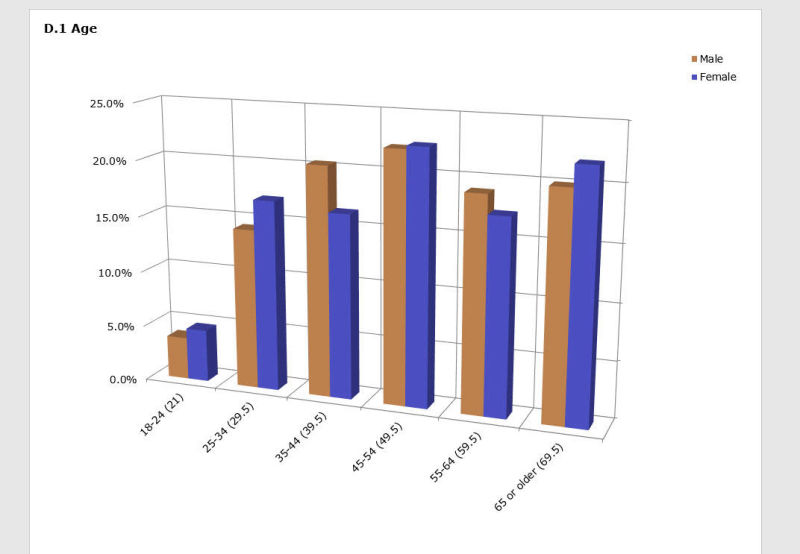
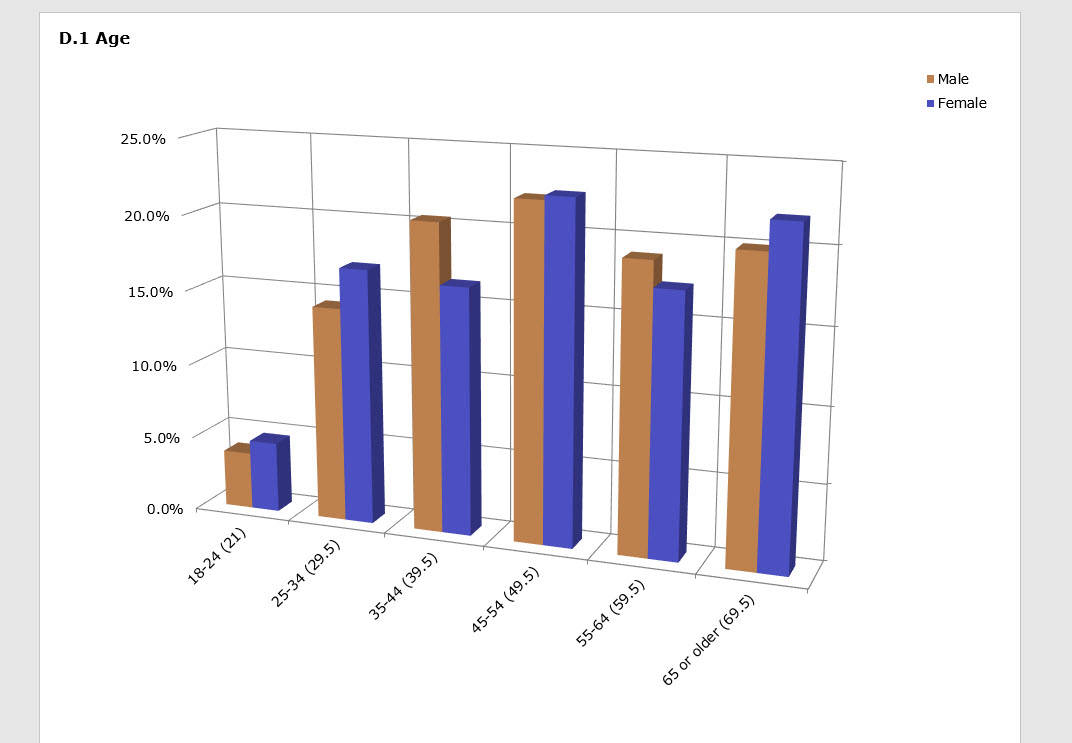
Generate a variety of charts from crosstabs and seamlessly export them to Microsoft Excel, PowerPoint or Word.
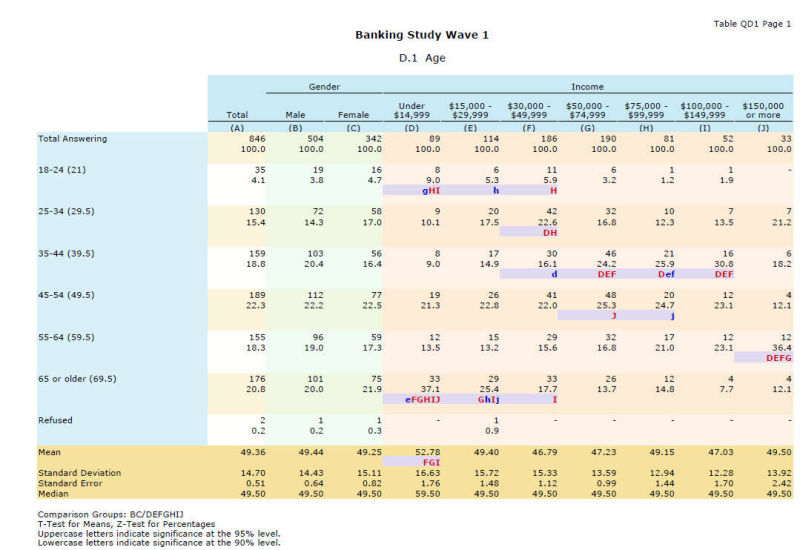
Effortlessly create side by side or grid style comparison tables and banners.
Utilize advanced Excel customization features to generate reports tailored to client specifications, including formatting controls, table layouts, and enhanced data presentation.
Similar to a network share, One Drive can be used to share files across computers at a single location.
Independent
(equal or unequal variances)
or
Dependent
(paired/overlap).
Independent
(pooled or unpooled proportions)
or
Dependent
(paired/overlap).
Pre-defined confidence levels from 60% to 99%,
or
user-specified levels without limitation.
Generate a customizable Significance Summary that consolidates statistical significance findings across tables.
Add the Bonferroni correction method to adjust significance levels.
WinCross has many advanced calculations including the geometric mean, square root, absolute value, Nth root,
and much more!
Least-significant difference, Student Newman Keuls,
Kramer-Tukey B,
Kramer-Tukey and Scheffe.
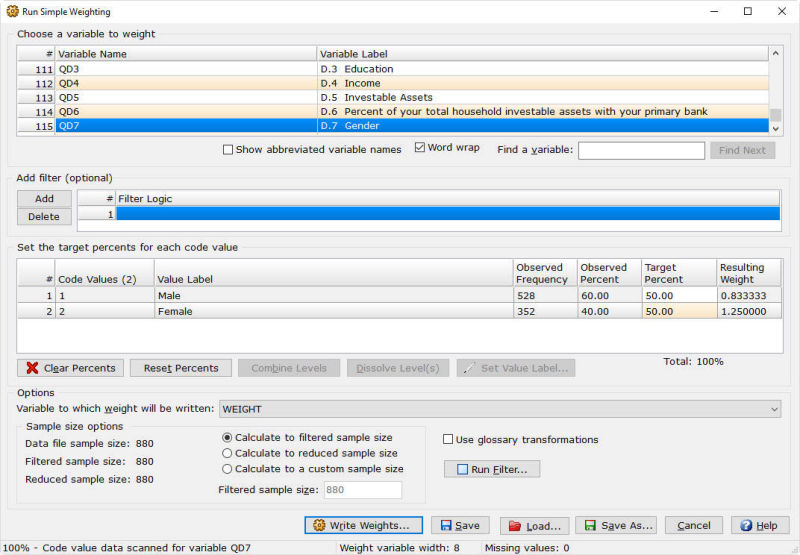
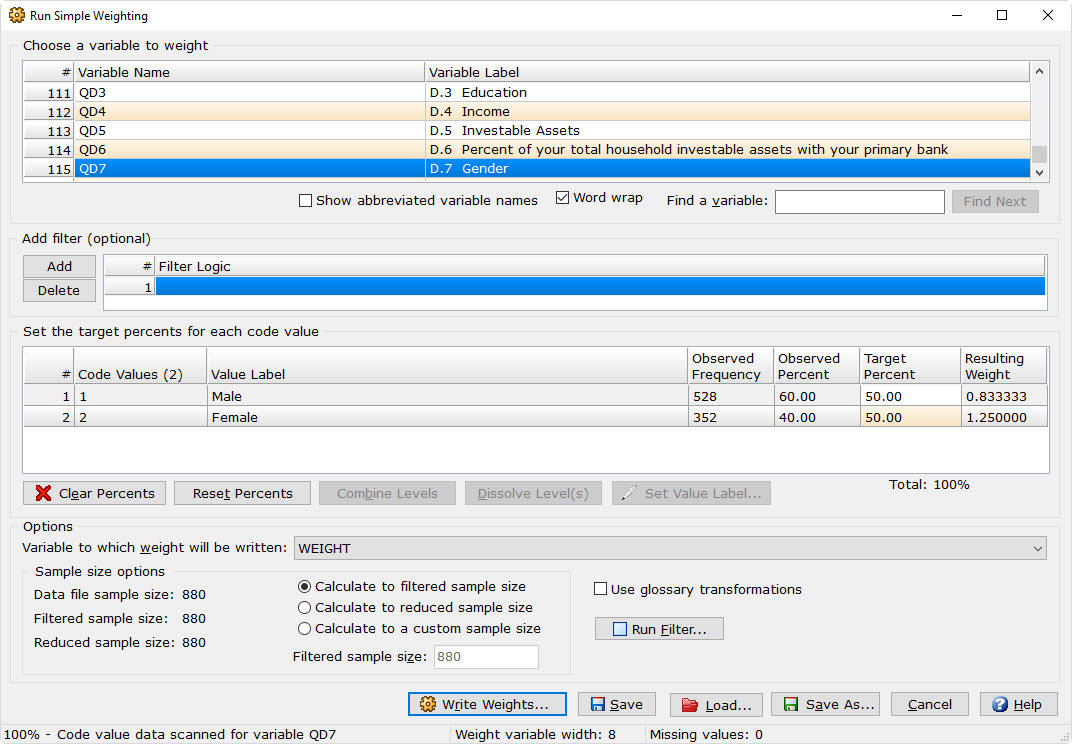
Simple Weighting calculates weights to target percents.
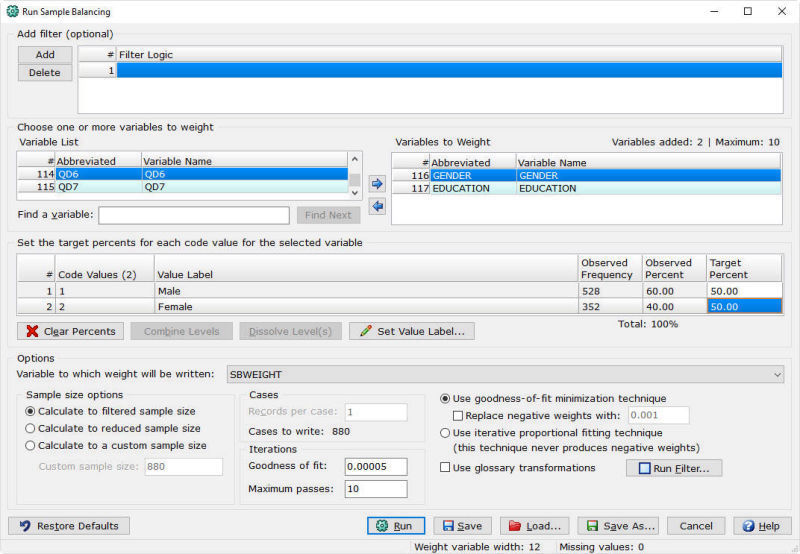
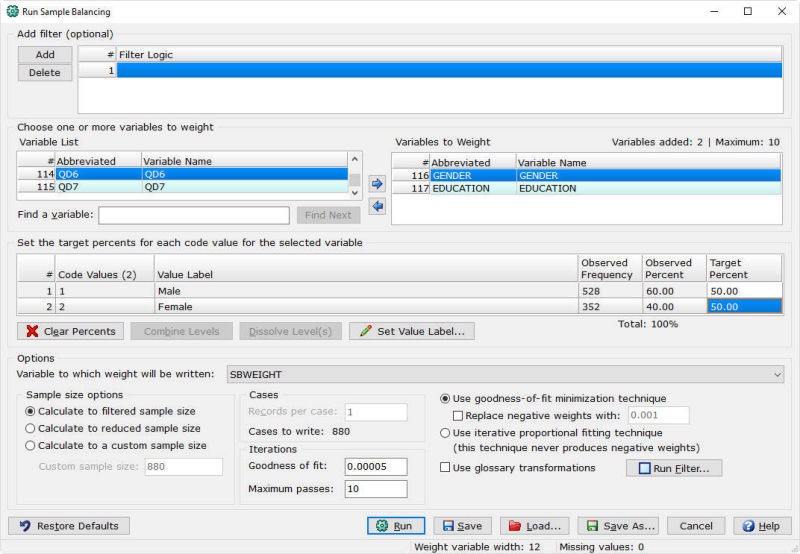
Sample Balancing calculates a single weight using multiple variables.
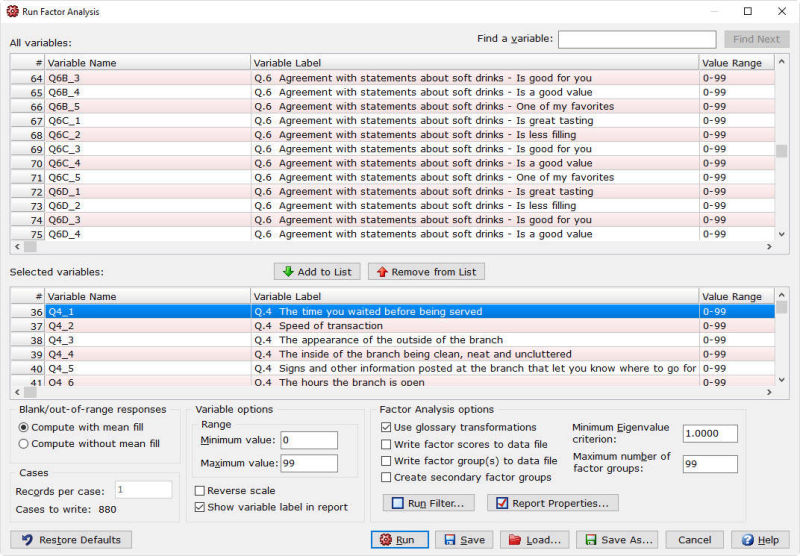
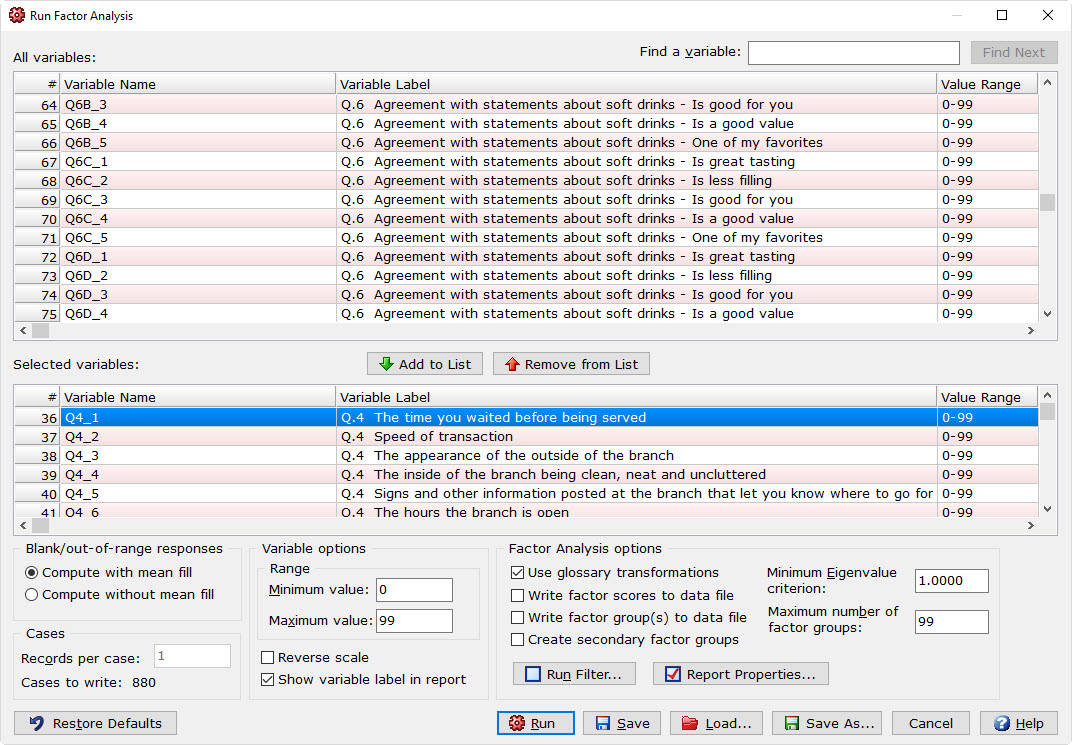
Factor Analysis groups respondents.
A flexible segmentation tool
for deeper analysis.
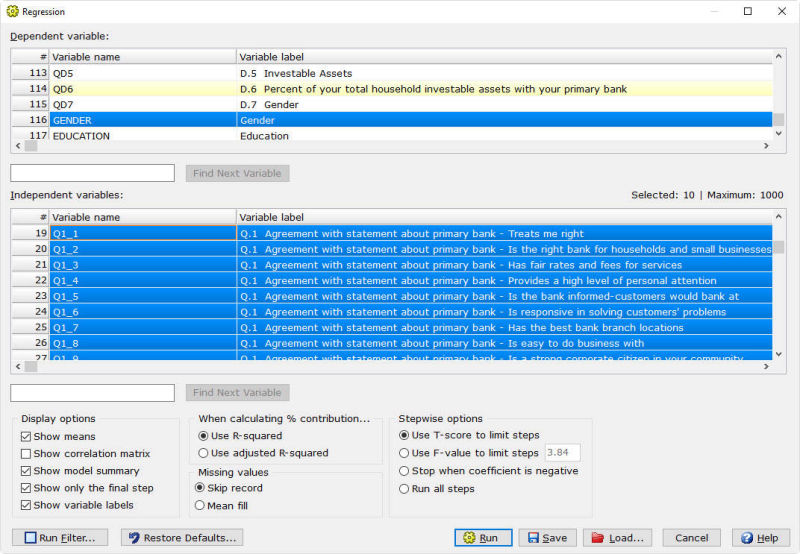
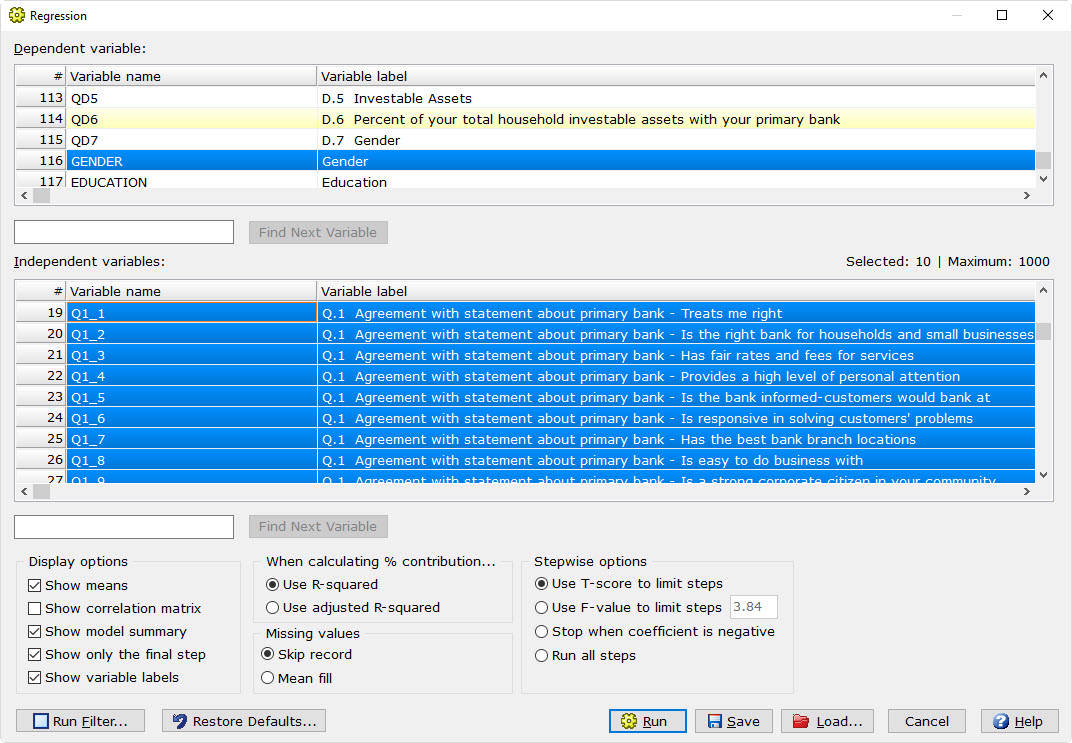
Regression Analysis,
often referred to as
“Driver Analysis”.
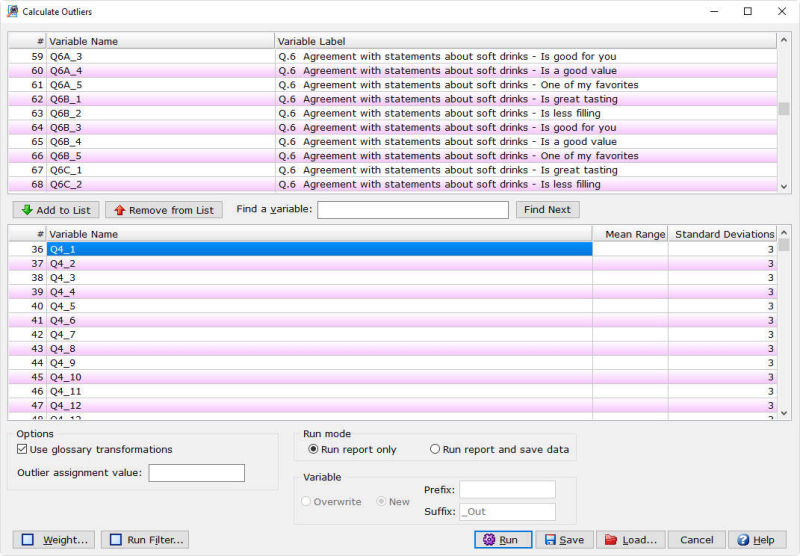
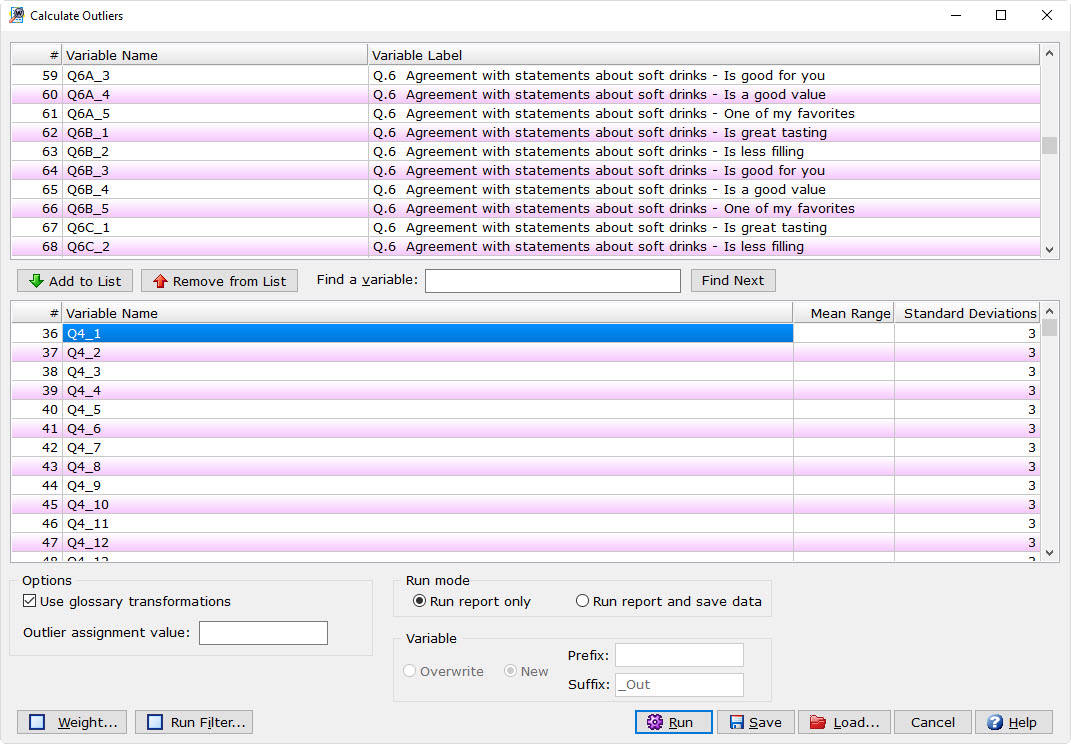
The mean and standard deviation of the respondents are calculated and compared.
If a value is a certain number of standard deviations (default 3) away from the mean,
those respondents are identified as an outlier.
Using the evaluation version allows you to become more familiar with WinCross in your own computing environment, using your own data.
The evaluation copy of WinCross is limited to processing 100 respondents and 25 tables. However, all of the commonly used features are available so you can experience the look and feel of the full-featured version of WinCross. Our Exploring WinCross guide is available to help you become better acquainted with WinCross during your evaluation period.
WinCross has earned the respect and admiration of marketing research professionals around the world. Here’s what some of our more enthusiastic users have to say about WinCross:
WinCross Desktop Edition: Windows 7 SP1 or higher
Ram: 1GB
Available drive space: 500MB
You can specify how you want WinCross to round percents and statistics in Setup|Job Settings|Rounding.
There are two options for rounding. The first option is to round up values over 5 and round down values under 5. For rounding equal to 5, round to the nearest even number. The second option is to always round up values of 5 or more and round down values less than 5.
Rounding in WinCross is based upon three general rules:
Rule 1 - If the remainder beyond the last digit to be reported is less than 5, drop the last digit. Rounding to one decimal place, the number 5.3467 becomes 5.3.
Rule 2 - If the remainder is greater than 5, increase the final digit by 1. The number 5.798 becomes 5.8 if rounding to 1 digit.
Rule 3 - To prevent rounding bias, if the remainder is exactly 5, then round the last digit to the closest even number. Thus the number 3.55 (rounded to 1 digit) would be 3.6 (rounding up) and the number 6.450 would round to 6.4 (rounding down) if rounding to 1 decimal. When the number to the left of the 5 is even, no rounding occurs. For example, 4.225 would become 4.22. When the number to the left of 5 is odd, rounding will occur. For example, 4.215 would become 4.22.
See page 12 in Hurlburt, R. (1994) Comprehending Behavioral Statistics, Brooks/Cole, Pacific Grove, CA.
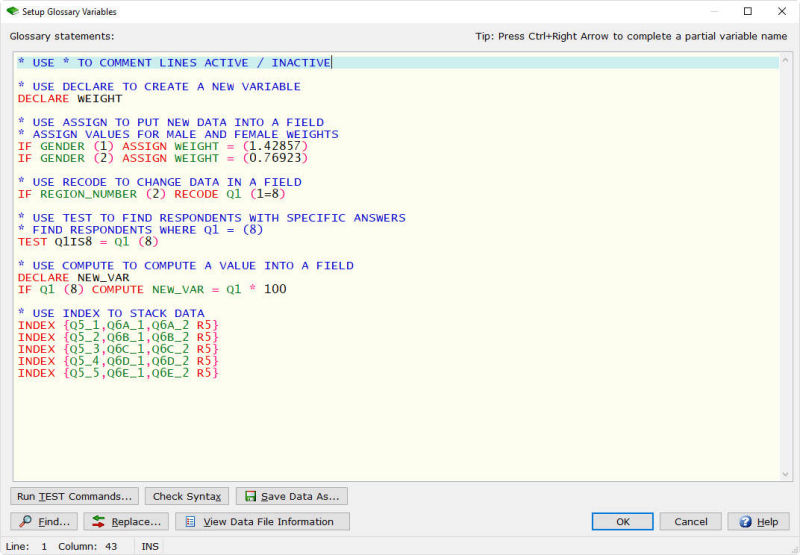
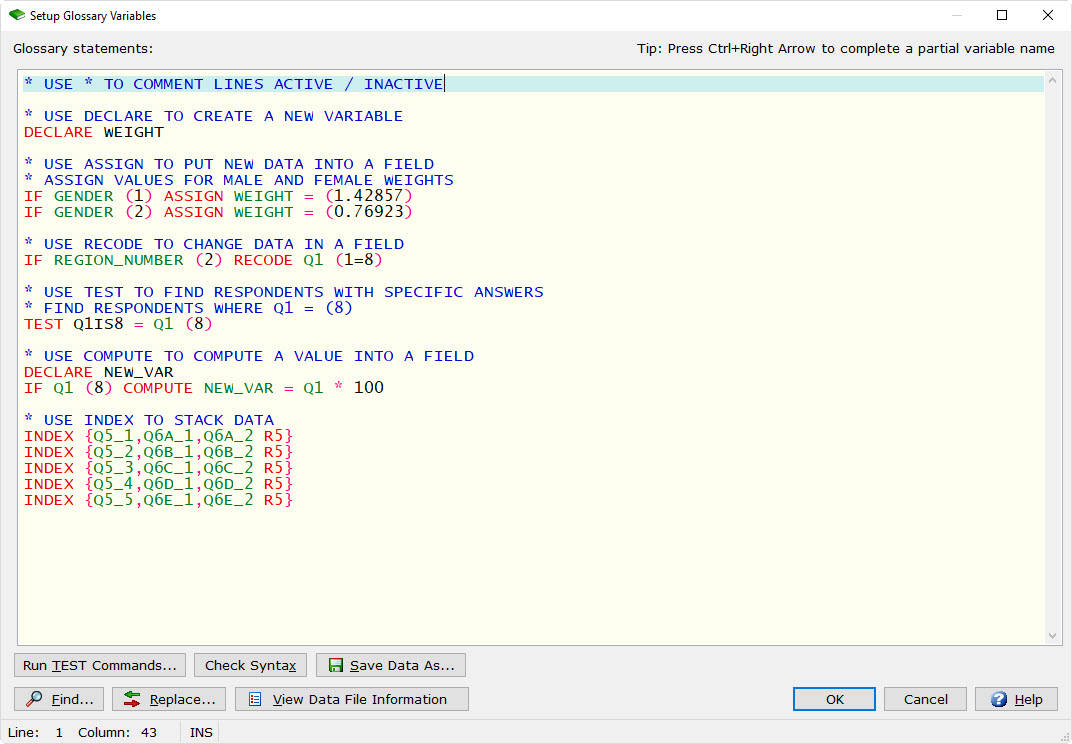
Use the TEST statement in the Glossary to search for respondents that break certain conditions.
Depress and hold the Ctrl key while individually clicking on those tables you want to run, or use the Edit Selections option on the Run|Tables dialog.
The difference between a table mean and row mean is based on the type of table you’re creating. A table mean is used where every row in the calculation of the mean has only one value. If the rows represent value ranges, then the # (pound symbol) operator must be used to give the row a single value for calculations.
A row mean is appropriate when rows represent a value range and the mean is to be calculated off the actual distribution of data. In that event, a row is created with the appropriate text and logic showing the value range you want to use. In the Row Options dialog box (Setup|Tables|Row Options) you should select the appropriate statistics (Mean, Standard Deviation, Standard Error, etc.).
Please see the WinCross help topic Indexed Variables Examples for full details.
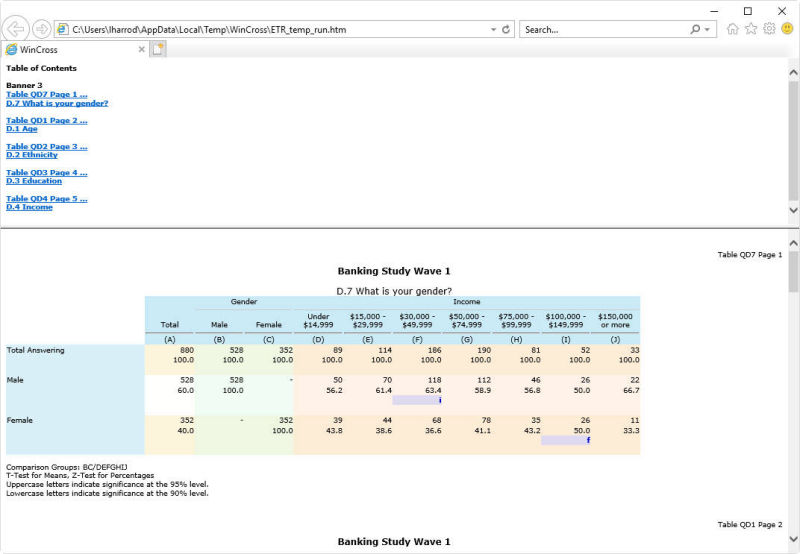
Select Run | Tables | Excel.
WinCross provides a robust number of Excel options that can be changed per run without having to make any job changes.
WinCross provides many solutions for weighting.
Mean Summary tables are easily created using the Summary of Means option in Setup|Express Tables for SPSS Data. You select the group of variables, choose the code value or range of code values for the rows and WinCross creates the table for you. The Question Title from each variable selected becomes the row text for each row and the Code Value(s) or range of Code Values specified becomes the row logic.
Top/Bottom Box Summary tables can also be easily created using the Summary of Frequencies option in Setup|Express Tables for SPSS Data. You select the group of variables, choose the code value or range of code values for the rows and the code value or range of code values for the percentaging base of each row and WinCross creates the table for you. The Question Title from each variable selected becomes the row text for each row and the Code Value(s) or range of Code Values specified becomes the row logic. WinCross automatically creates two sets of rows, one set to be used for percentaging bases with the Hide row (HR) option specified and the second set of rows is automatically created with the percentaging base specified
Mean, Median and Mode.
Standard Deviation and Standard Error.
6,000 rows per table.
500 banner columns per banner.
What is a two-tailed test?
First let’s start with the meaning of a two-tailed test. If you are using a significance level of 0.05, a two-tailed test allots half of your alpha to testing the statistical significance in one direction and half of your alpha to testing statistical significance in the other direction. This means that .025 is in each tail of the distribution of your test statistic. When using a two-tailed test, regardless of the direction of the relationship you hypothesize, you are testing for the possibility of the relationship in both directions. For example, we may wish to compare the mean of a sample to a given value x using a t-test. Our null hypothesis is that the mean is equal to x. A two-tailed test will test both if the mean is significantly greater than x and if the mean significantly less than x. The mean is considered significantly different from x if the test statistic is in the top 2.5% or bottom 2.5% of its probability distribution, resulting in a p-value less than 0.05.
What is a one-tailed test?
Next, let’s discuss the meaning of a one-tailed test. If you are using a significance level of .05, a one-tailed test allots all of your alpha to testing the statistical significance in the one direction of interest. This means that .05 is in one tail of the distribution of your test statistic. When using a one-tailed test, you are testing for the possibility of the relationship in one direction and completely disregarding the possibility of a relationship in the other direction. Let’s return to our example comparing the mean of a sample to a given value x using a t-test. Our null hypothesis is that the mean is equal to x. A one-tailed test will test either if the mean is significantly greater than x or if the mean is significantly less than x, but not both. Then, depending on the chosen tail, the mean is significantly greater than or less than x if the test statistic is in the top 5% of its probability distribution or bottom 5% of its probability distribution, resulting in a p-value less than 0.05. The one-tailed test provides more power to detect an effect in one direction by not testing the effect in the other direction. A discussion of when this is an appropriate option follows.
To read the full article visit this article.
No — even if A > B and the result is statistically significant, you should not say “A is significantly greater than B” when using WinCross, because WinCross only uses 2-tailed tests.
A 2-tailed test evaluates whether two values are different in either direction — it tests whether A ≠ B, not whether A is specifically greater than (or less than) B. So, a significant result in WinCross means that A and B are statistically different, but it does not support directional claims like “greater than.”
To correctly claim that “A is significantly greater than B,” you would need a 1-tailed test designed specifically to test A > B. Since WinCross does not offer 1-tailed testing, you should use neutral language instead.
✔️ Valid ways to report results in WinCross:
Even if the p-value is extremely small (e.g., p = 0.0001), you should only interpret results directionally if you clearly state that your hypothesis was directional before running the test (pre-registered) — and even then, it's considered a post hoc interpretation in WinCross.
These questions are covered in this article.
These questions are covered in this article.
Weighted Data and Significance Testing Tools
Weighted Standard Error and its Impact on Significance Testing (WinCross vs. Quantum & SPSS)
Alternative Approaches to Significance Testing with Weighted Means
A Simulation Comparison of WinCross, SPSS, and Mentor Procedures for Estimating the Variance of a Weighted Mean
An Analysis of WinCross, SPSS, and Mentor Procedures for Estimating the Variance of a Weighted Mean
Part-Whole Comparison of Means
A Note on Spurious Significance
Statistical Inference about Net Promoter Scores
| Feature | What They Claim About WinCross | The Facts About WinCross |
|---|---|---|
| Most grunt work is automated (e.g., formatting data, coding, stat testing) | Table and banner creation are fully automated, and statistical testing can be activated with a single click. | |
| Dashboards | Our online product WinCross Executive offers a dashboard solution. | |
| Designed for Market Researchers | For over 30 years, WinCross has been the go-to crosstabulation software built specifically for market researchers. | |
| Can generate large reports quickly (e.g., crosstabs) | WinCross includes an instant Auto Create feature that generates full crosstabs in seconds using AI (Analytical Intelligence). | |
| Advanced users can do advanced analyses by writing code | All syntax/code is stored in a simple, editable text file, giving advanced users complete flexibility and control. | |
| Anyone can conduct advanced analyses themselves without outsourcing | Advanced analysis tools – such as sample balancing, simple weighting, factor analysis, calculate outliers, and regression – are built in and easy to use. | |
| Anyone can update and automate reporting without needing to outsource | Our user interface is designed for both first-time and advanced users, making reporting updates and automation simple. | |
| 24 hour free support with an expert (business days) | Our support team is available Monday-Friday, 8 AM – 4 PM (MST), by phone or email. With 50+ years of market research expertise, we pride ourselves on delivering knowledgeable, personalized support. |

The Analytical Group, Inc. offers personalized one-on-one virtual training for WinCross, our powerful crosstabulation software. Each course is customized to your specific needs, using your own data files for hands-on learning. If you’re unable to provide files, we’ll use in-house examples to demonstrate every concept.
The training consists of 8 total hours, split into two 4-hour sessions over two days. We recommend the full 8-hour course for new users to gain a comprehensive understanding of WinCross features, workflow, and best practices.
To register for an upcoming class, please email training@analyticalgroup.com to reserve your spot.
$3,595
1st user
$2,995
each additional user
All WinCross perpetual licenses include support and upgrades for one (1) year from the original date of purchase.
After the first year, the WinCross Annual Maintenance Program is offered at $600 for the first license, and $350 for each additional license.
For inquiries and orders, please email sales@analyticalgroup.com.